Poll Windows computers
Configuration of scanned wmi networks
Ip адреса из сканируемых сетей будут использоаны для опроса компьютеров по WMI протоколу.
Go to the menu item Settings-> WMI-> Scanned networks.
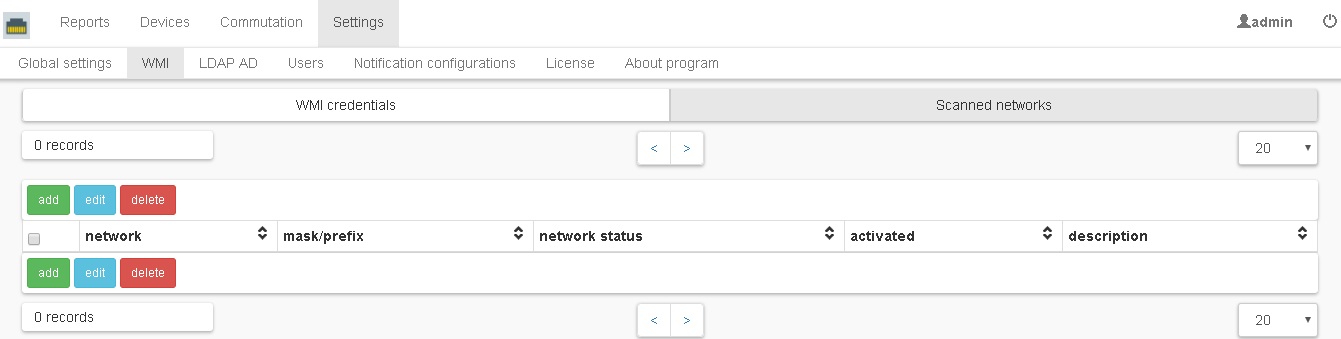
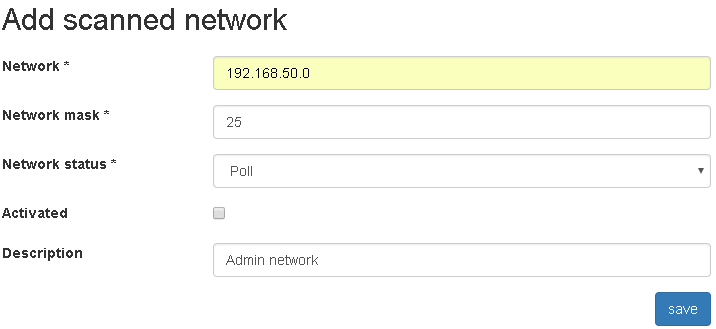
Click the add button. Fill in the fields: network, network mask/prefix, network status, description, check the box “Activated” and click save.
- Network
Ip network.
- Network mask
Mask for ipv4 network, prefix for ipv6 network.
- Network status
“Poll” - ip addresses in this network will be polled depending on the option “Ip addresses origin for wmi poll” in Global Settings, “poll force” - ip addresses in this network will be polled regardless of global settings (option “Ip addresses origin for wmi poll” in Global Settings), “not poll “- ip addresses in this network will not be polled. Networks with the status “not poll” have priority over networks with the status “poll force” and “poll”.
- Activated
Activated.
- Description
Description.
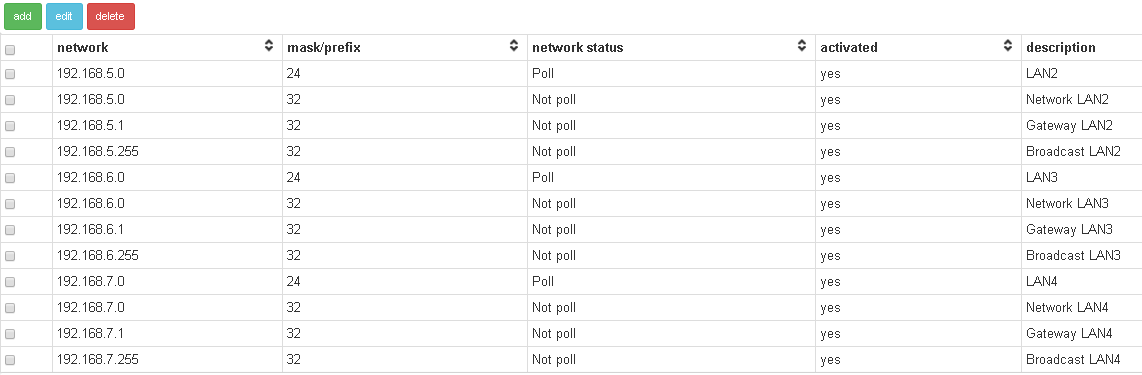
Make step 2 for the required number of scanned networks.
Note
Recommendations:
use the value “Arp and neighbor tables of network devices” option “Ip addresses origin for wmi poll” in the Global Settings;
add records with the status “not poll” for gateways, broadcast addresses, addresses of not windows computers, etc.
Configuration of wmi credentials
Go to Settings → WMI → WMI credentials.
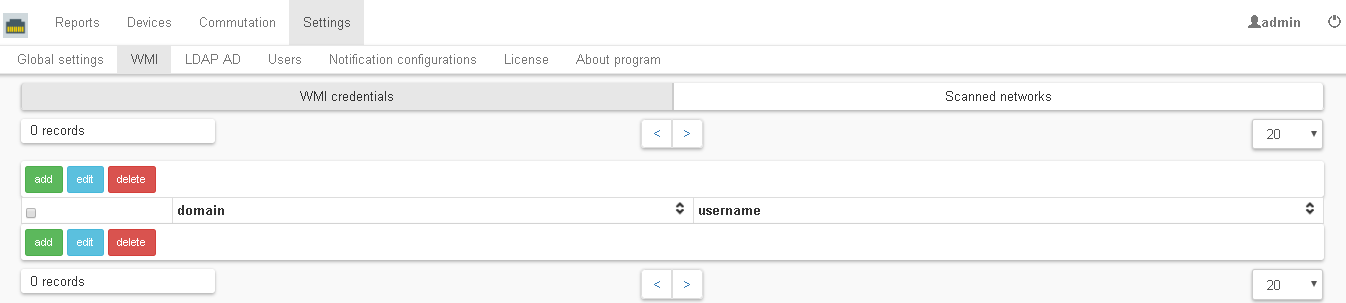
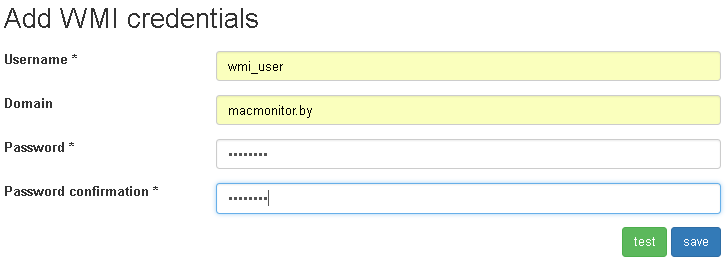
Click the add button. Fill in the fields: username, domain, password, password confirmation and click save.
- Username
Username.
- Domain
A domain can be specified both in full and abbreviated form: for example, macmonitor.by or macmonitor. If the domain is not specified, the credentials will be considered the credentials of the local user on the computer. An empty domain should be used only if there are polled computers that are in a workgroup.
- Password
User password.
- Password confirmation
User password confirmation.
Note
It is possible to test the credentials using the ip address of the computer, to do this, click the test button and enter the ip address of the computer.
Make step 2 for the required amount of credentials. These credentials will be used when polling computers (ip addresses) in turn until they come up suitable to a specific computer (ip address) or all are not used.

Note
Recommendations:
use only two credentials records: first is for domain computers, second is for computers in a workgroup, since when polling ip addresses, the credentials will be used in turn until they are suitable, or all will not be used. With a large number of them, WMI polling will take longer.
LDAP AD configuration
Ldap configurations are used to synchronize users and their attributes from the Active directory to Network MACMonitor.
Go to Settings → LDAP AD.
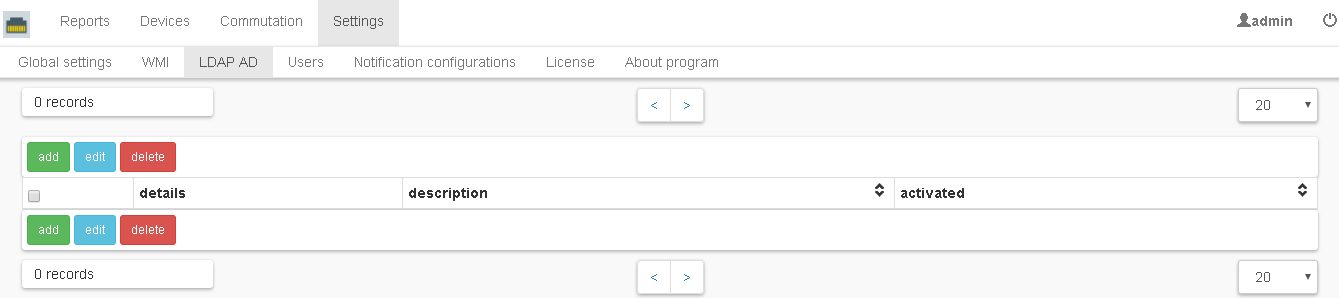
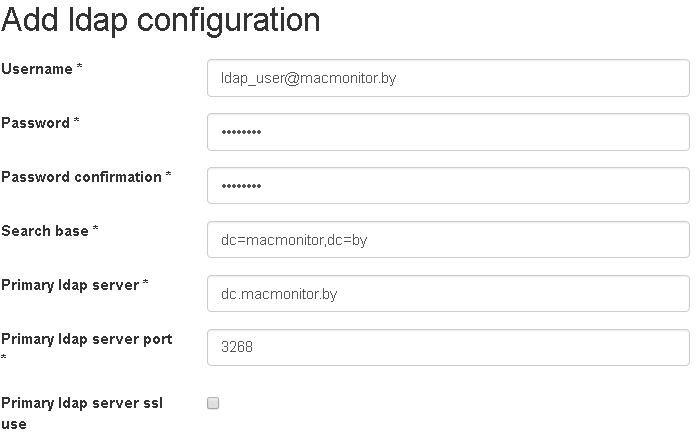
Click the add button. Fill in the fields and click save.
- Username
Username in the format name@Domain.
- Password
User password.
- Password confirmation
User password confirmation.
- Search base
Search base.
- Primary ldap server
Ip address or host name of the primary ldap server.
- Primary ldap server port
Primary ldap server port.
- Primary ldap server ssl use
Primary ldap server ssl use.
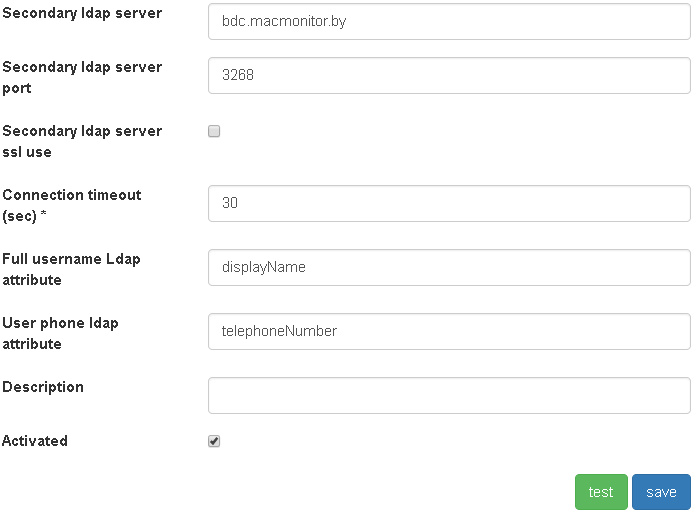
- Secondary ldap server
Secondary ldap server (optional field).
- Secondary ldap server port
Secondary ldap server port (optional field).
- Secondary ldap server ssl use
Secondary ldap server ssl use (optional field).
- Connection timeout
Connection timeout in seconds.
- Full username Ldap attribute
Full username Ldap attribute. The default value is displayName.
- User phone ldap attribute
User phone ldap attribute. The default value is telephoneNumber.
- Description
Description (optional field).
- Activated
Activated.
Note
Recommendations:
use LDAP ports 3268, 3269 (global catalog ports) instead of 389, 636.
when using ldaps (the active flag “Primary/Secondary ldap server ssl use”), the settings for truststore are required. Java launch with Djavax.net.ssl.trustStore, Djavax.net.ssl.trustStorePassword options are required.
Make step 2 for the required number of ldap configurations.

Activate WMI and LDAP poll
Go to Settings-> Global Settings.
Set option “Wmi poll enabled”.
Set “Number of wmi poll threads” (default is 100).
Set “Number of wmi query attempts” (default is 3).
Set “Wmi query timeout” (default is 30,000 milliseconds)..
Set “Enable LDAP active directory users synchronization during wmi poll”.
Select “Ip addresses origin for wmi poll”.
Note
Arp and neighbor tables of network devices - ip addresses for poll via wmi will be taken from arp and neighbor tables of network devices, then these addresses will be filtered using scanned networks from the menu item Settings-> WMI-> Scanned networks, then filtered addresses will be polled .
Generate based on wmi scanned networks- ip addresses will be generated based on scanned networks from the menu item Settings-> WMI-> Scanned networks, and then will be polled. Networks with the “Poll force” status will be polled regardless of this setting.
It is advisable to set the “Enable ping of ip address before wmi query” option. This is especially important if the option “Origin of ip addresses” is set to “Generate based on wmi scanned networks”.
Set the value of the “Reports update period” option and click save.
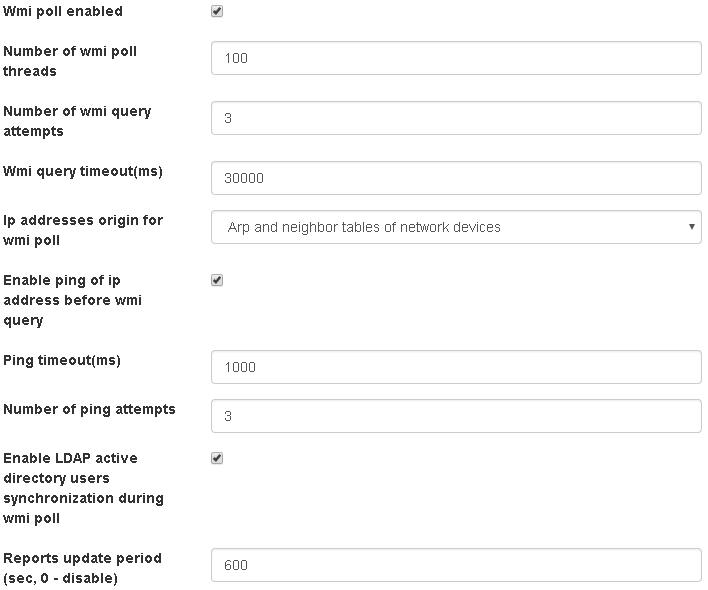
After settings done, computers will be polled via wmi protocol and reports will be updated.
Note
Also, the next step is to configure computers in the domain to be polled via wmi protocol with usage of group policy. Example of configuring computers in a domain for poll via WMI.